

Outcome
Prepare for an authorised update, verify normal operation afterward, and know when the controlled rollback path must be used.
Applies to
Installation, software updates, firmware changes, database migration or recovery, and rollback are support-led unless a specific approved customer procedure says otherwise.
Before you begin
- Do not start an update from a public or unassigned file.
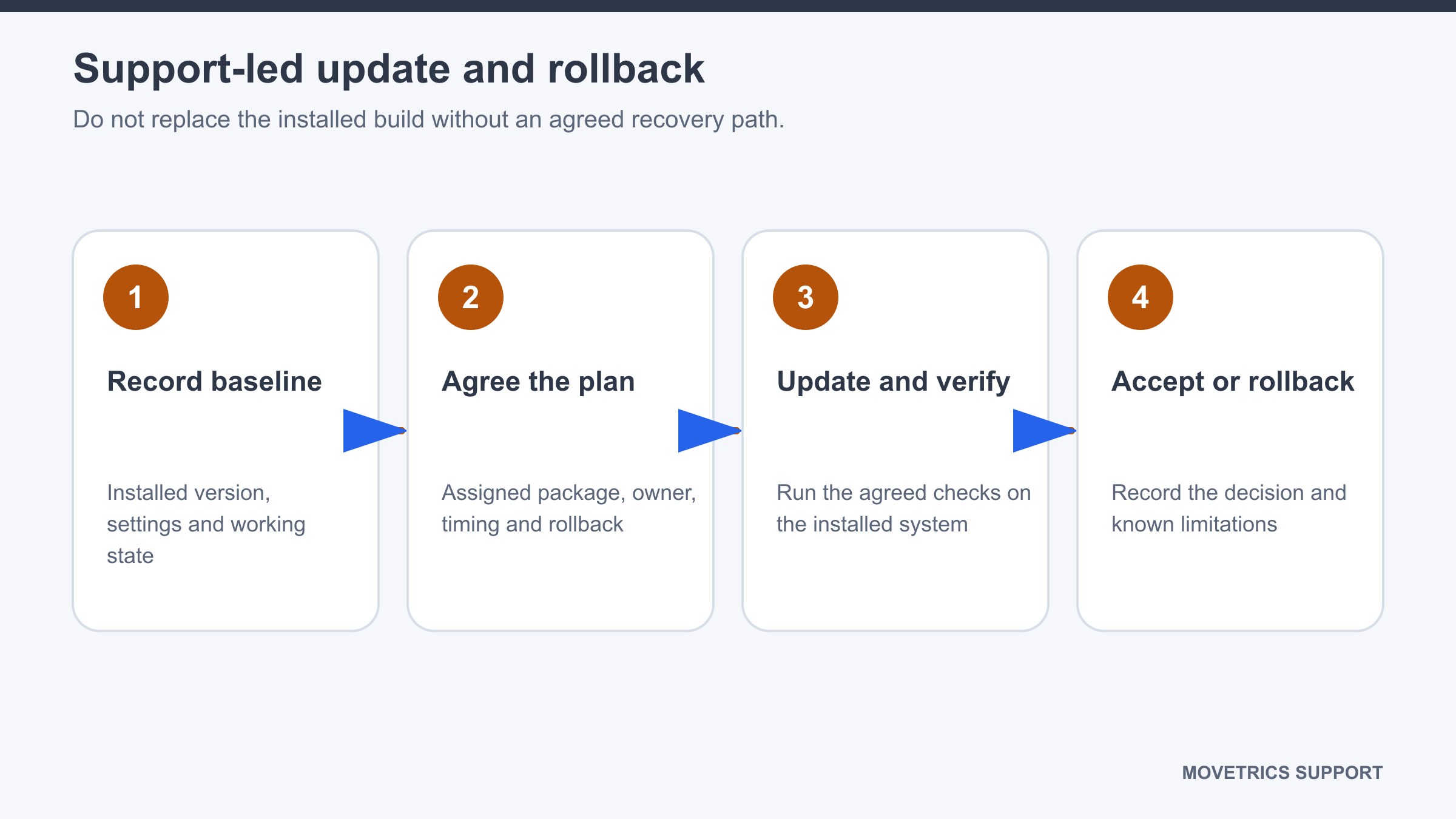
- Record the installed software, controller, and firmware information.
- Finish active work and confirm required records are saved through the approved process.
- Obtain the assigned package, release notes, checksum, update owner, verification checklist, and rollback instruction.
Steps
- Confirm the package and release notes match the customer system.
- Read changes, known limitations, required preparation, and expected downtime.
- Agree who performs the update and who confirms customer acceptance.
- Confirm the rollback package or procedure is available before any change begins.
- Keep the force plates unloaded and prevent measurements during service work.
- Allow the authorised person to complete the update without interruption.
- Record the resulting software, controller, and firmware information.
- Complete the approved post-update checks: application startup, controller detection, approved configuration, tare, a non-sensitive test workflow, saved examination review, and report generation where applicable.
- Compare results with the release-note expectations and record every failed check.
- Use rollback only under the approved instruction when a release check fails or the updated system cannot be used as authorised.
You should now see
The assigned build is installed, version information is recorded, all approved checks pass, and the rollback path remains documented.
Stop or repeat when
- The package, checksum, applicability, backup, verification list, or rollback path is missing.
- Any post-update check fails or prior records cannot be accessed as expected.
- The updated build introduces an unexplained measurement or report change.
If it does not work
Stop customer measurement use and preserve the current state. Do not repeatedly reinstall, delete data, or improvise a rollback. Record the failed step, exact message, versions before and after, and the responsible update session.