

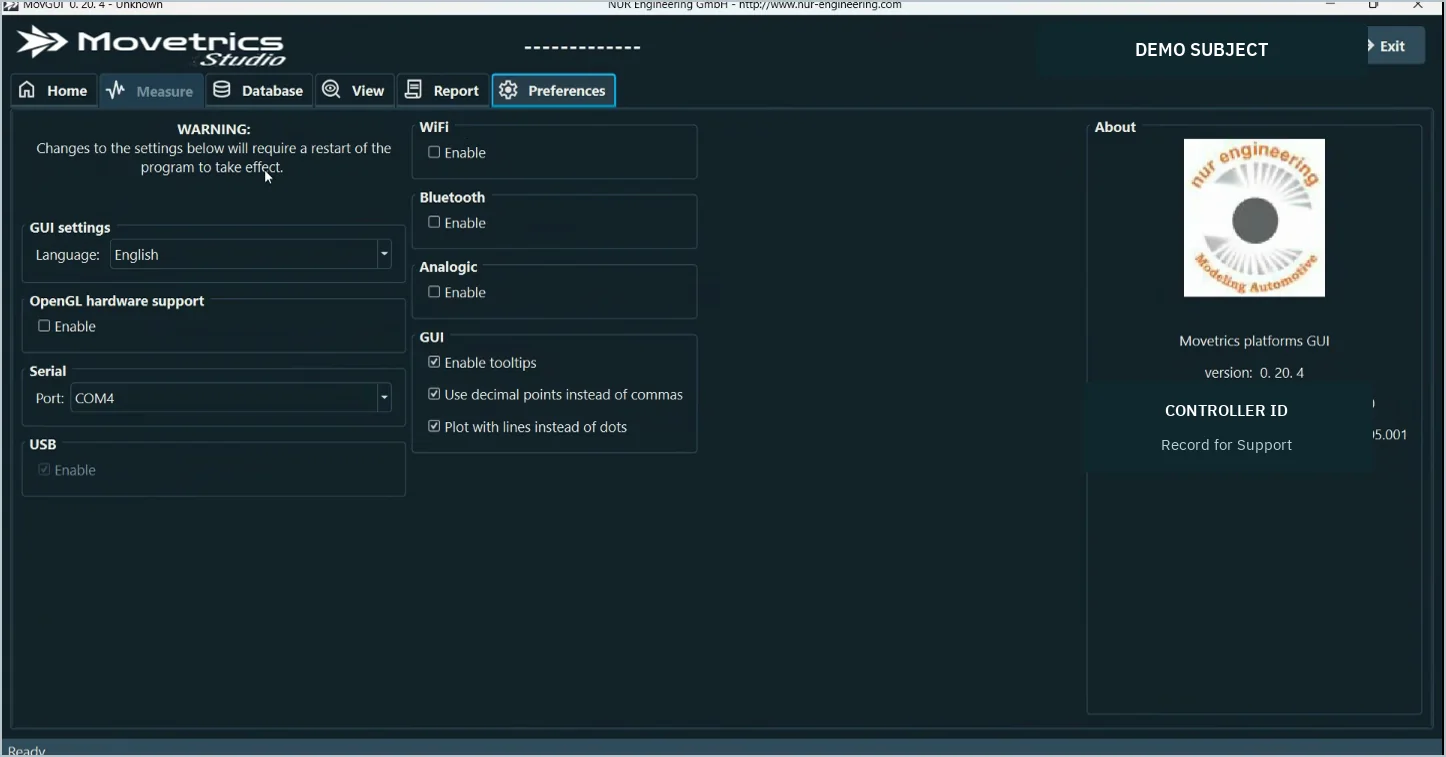
Preferences displays the installed Movetrics Studio version, controller ID and available firmware information.
Procedure
- Open Preferences. Use the Preferences tab in Movetrics Studio.
- Record the software version. Copy the complete version exactly as displayed.
- Record the controller ID. Do not post or publish the identifier; provide it through the approved support route.
- Record firmware. Copy the displayed firmware information for each relevant component.
- Add context. Include the examination type, time, configuration and exact issue when contacting Support.