

Outcome
Place the force plates so the room setup and the selected Movetrics Studio configuration describe the same arrangement.
Applies to
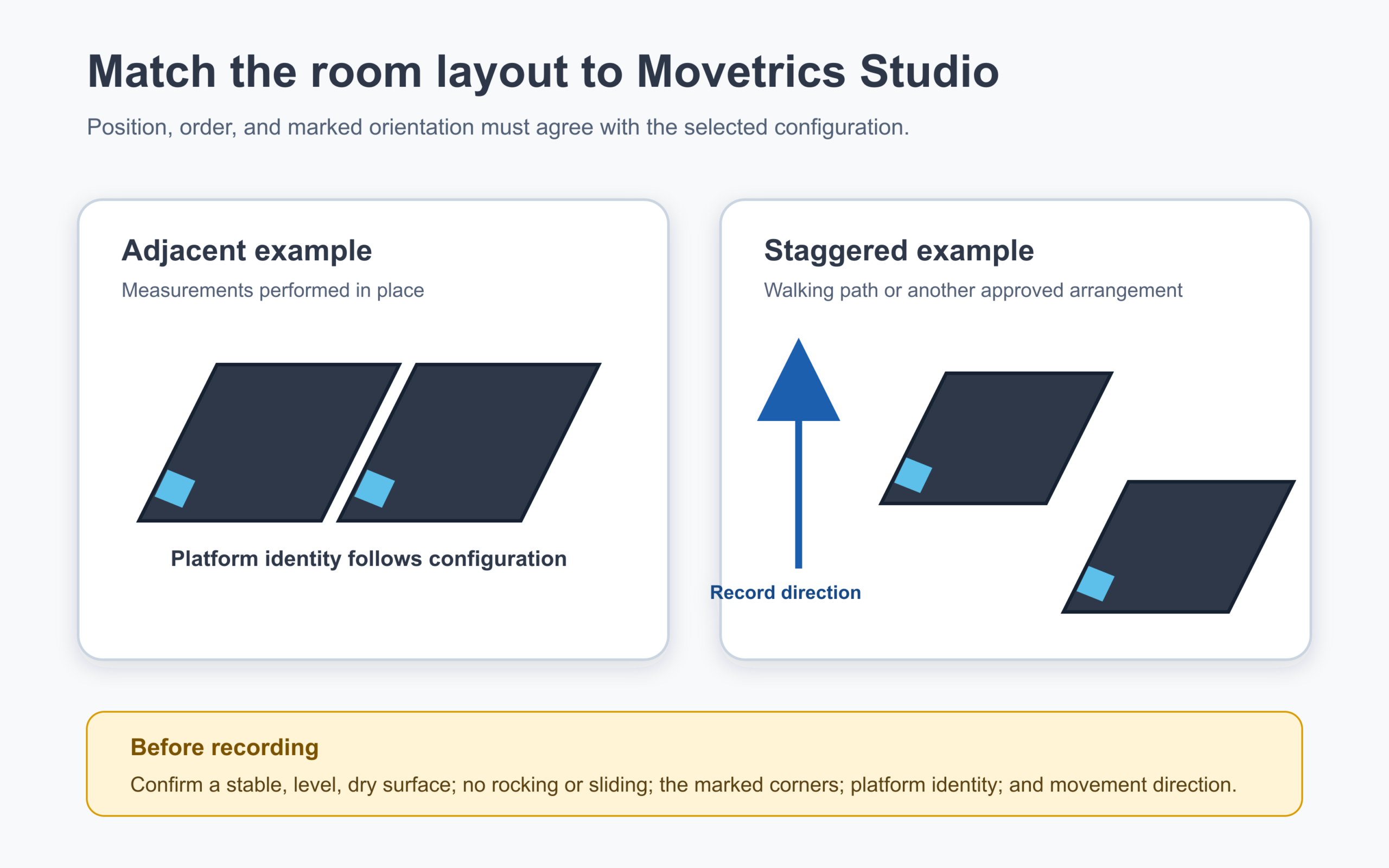
Use this guide whenever plates have been moved or a different approved configuration is selected. Platform numbers do not have a universal left or right meaning; the selected configuration defines the assignment.
Before you begin
- Use a stable, level, clean, and dry measurement surface.
- Open the approved configuration view in Movetrics Studio or have its diagram available.
- Keep cables disconnected or safely slack while moving a plate.
Steps
- Place each F1-3D force plate in the location shown by the approved configuration.
- Align the plate’s marked orientation with the orientation shown in the configuration view.
- Check the displayed platform number for each physical plate.
- For adjacent tasks, verify the configured assignment for the person being measured. Never assume Platform 1 is always left or Platform 2 is always right.
- For gait, verify the approach direction, platform order, and clear exit path.
- Press gently near each corner to confirm that the plate does not rock, slide, or touch another object.
- Route cables so they cannot pull a plate or become a trip hazard.
- Return to Home and select the exact configuration that matches the completed physical layout.
You should now see
The physical plate positions, platform numbers, marked orientations, and walking direction match the configuration displayed in Movetrics Studio.
Stop or repeat when
- A plate rocks, slides, contacts another object, or sits on an unsuitable surface.
- A platform number or marked orientation does not match the configuration.
- You cannot determine the configured left/right or walking-order assignment.
If it does not work
Do not compensate by interpreting channels differently after recording. Keep the plates unloaded, return to the approved layout, and have an authorised administrator verify the configuration before use.